
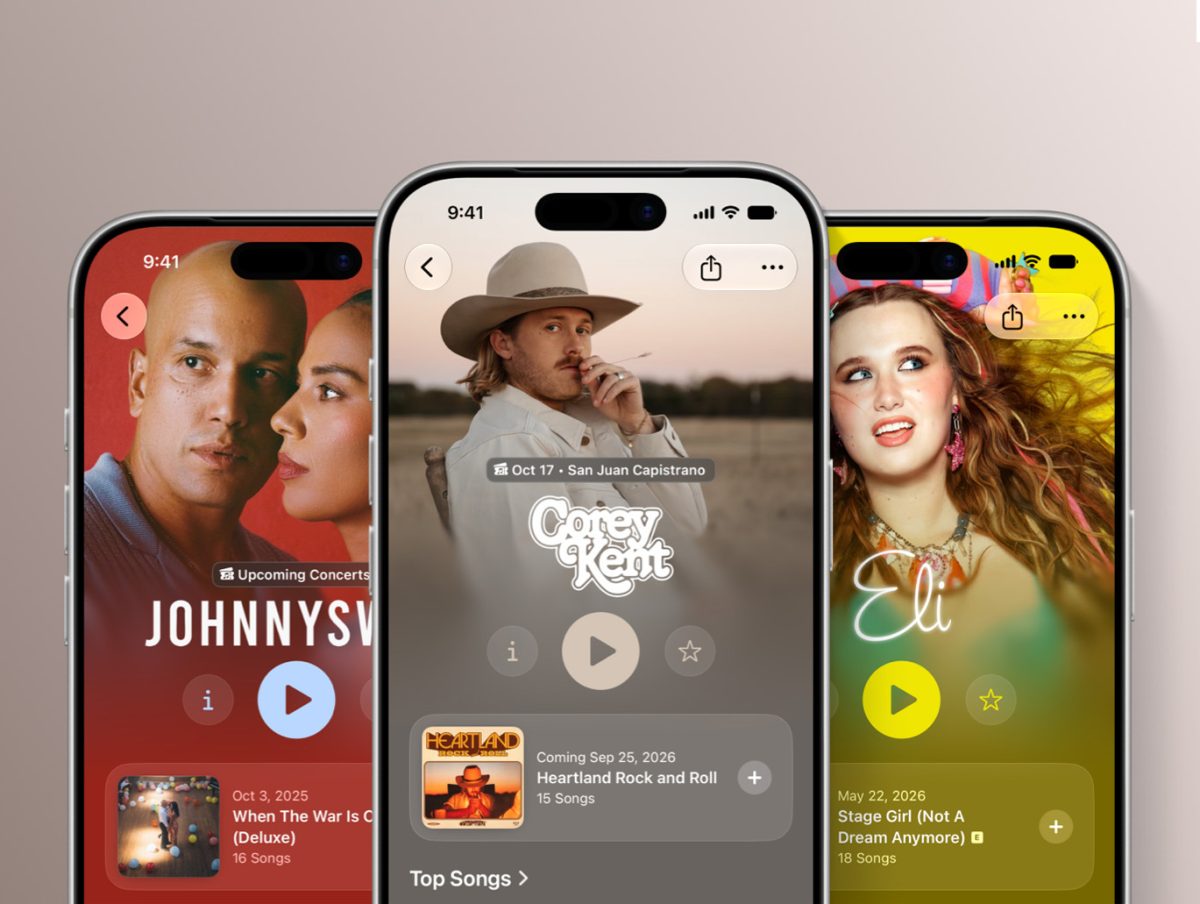
Apple Music Artist Profile Customisation Update
22.09.2026
The iOS 27 update for iPhones is on its way and with it, Apple Music is rolling out some new artist profile customisations.
With the update, you will have the ability to customise your artist page with artist logos and colours using Apple Music Connect or Apple Music for Artists.
To add your logo, all you will need to do is navigate to the Logo section from your Artist Page tab and click Choose Logo.
The areas in which you will be able to customise the colours are the Info, Play, and Favourite buttons that appear on every artist page.
There is a review process that may take up to five business days, so your logo will remain pending until Apple has reviewed it.